
Follow these steps to create an account, sign in to the Summer Camp Scholarship Program portal, or reset a forgotten password.
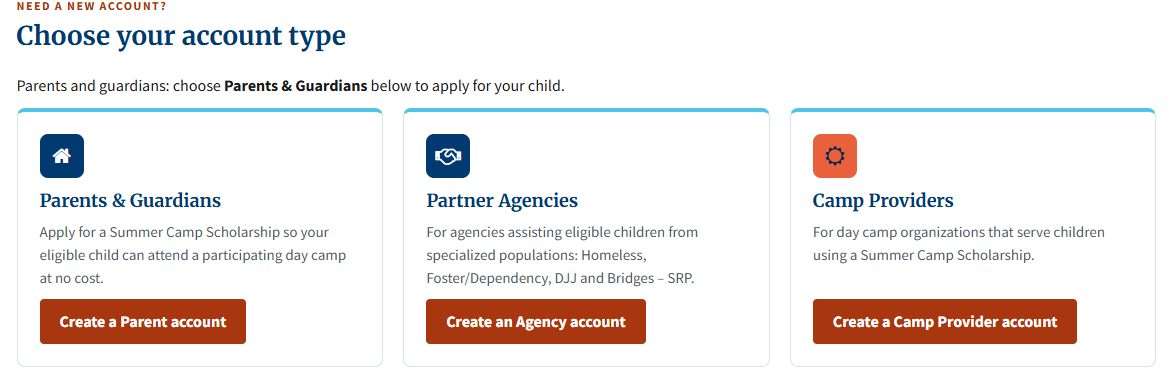
Your account type determines what you can access in the portal.
- Parents & Guardians: For parents and guardians applying for a scholarship for their child.
- Partner Agencies: For partner agencies assisting eligible children.
- Camp Providers: For day camp organizations serving scholarship campers.
Choose Create an account on the sign-in page or open Summer Camp registration below, then select the button for your account type. The registration page shows the current dates and availability.
Select any example image on this page to view it full size.
 (opens full size in a new tab)
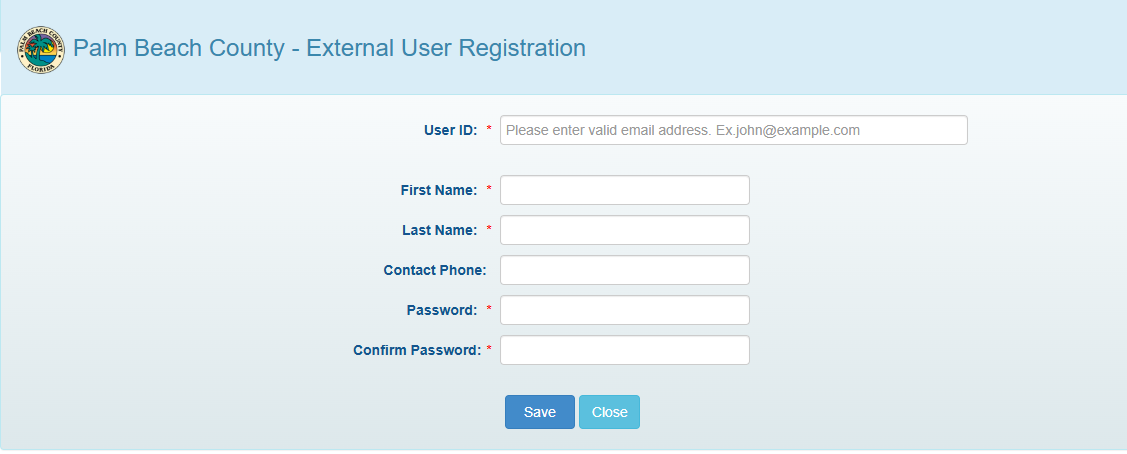
The account button for your type opens Palm Beach County’s External User Registration form. Complete the following fields:
- User ID: Enter your email address. This is your user name for signing in.
- First Name and Last Name: Enter your name.
- Contact Phone: You can also enter your phone number.
- Password and Confirm Password: Enter your chosen password in both fields.
Select Save to submit the form.
 (opens full size in a new tab)
After you register successfully, the registration site shows a link back to the Summer Camp sign-in page.
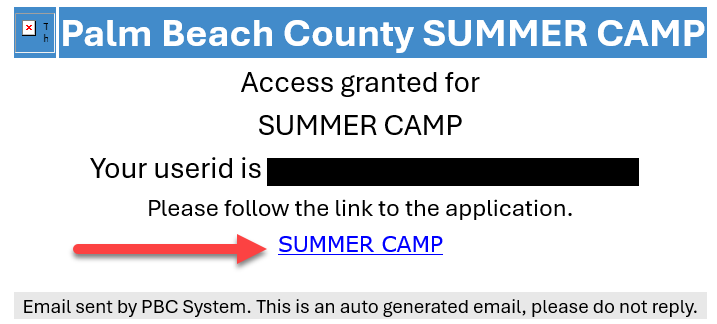
When access is granted, you’ll also receive an email confirming access to Summer Camp. Look for Access granted for SUMMER CAMP in the message. If you closed the registration page, select the SUMMER CAMP link below your User ID to go to the sign-in page. If you can’t find the email, check your spam or junk folder.
 (opens full size in a new tab)
Go to the Summer Camp sign-in page. Enter the email address you used as your User ID and the password you chose during registration.
-
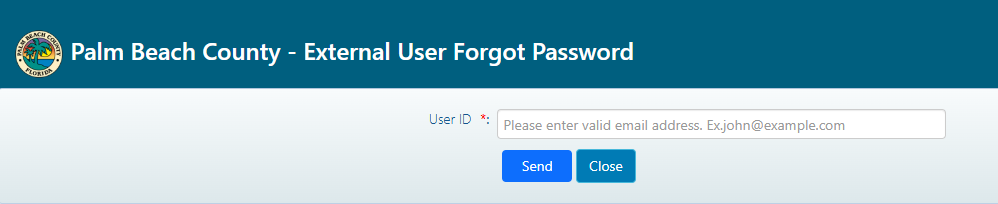
Open the Forgot your password? page (also linked from the Summer Camp sign-in page). Enter the email address you registered with in User ID and select Send.
 (opens full size in a new tab)
-
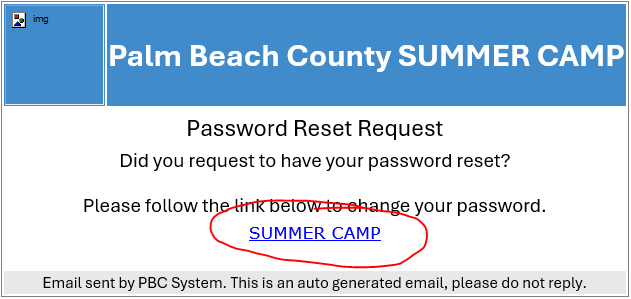
Open the password reset email and select the SUMMER CAMP link. If you can’t find the message, check your inboxes and your spam or junk folders.
 (opens full size in a new tab)
-
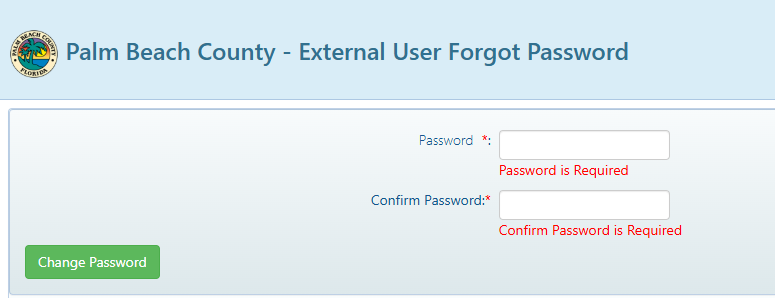
Follow the instructions on the reset page to enter and confirm a new password, then select Change Password.
 (opens full size in a new tab)
- After you receive the password change confirmation email, return to Summer Camp and sign in with your new password.
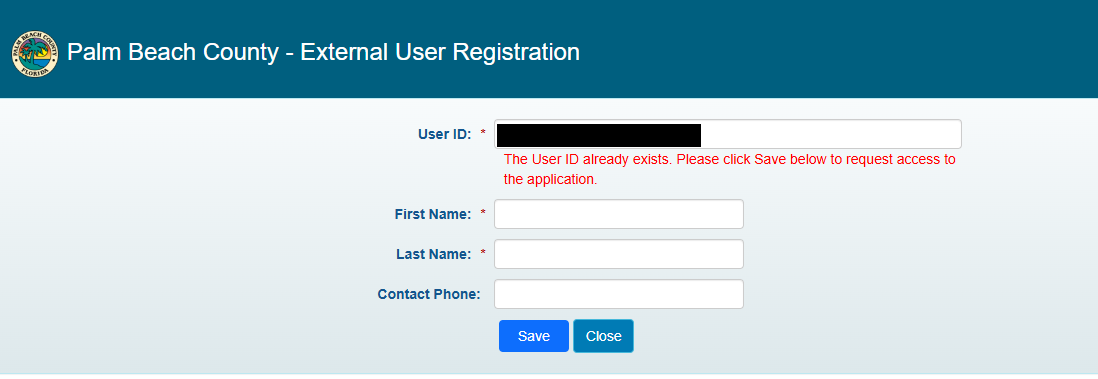
If the form asks you to request access to the application, enter your first and last name and select Save to request Summer Camp access for your existing county account.
 (opens full size in a new tab)
Youth Services offers registration and application assistance by appointment, Monday through Friday.
- Call (561) 242-5713.
- Email YSD-SummerCamp@pbc.gov.